Website vs Web Application: Understanding the Difference Between a Website, App, Software, and System
A detailed guide explaining how a website differs from a web application and how apps, software, and systems fit into the broader digital landscape.
Website vs Web Application: Understanding the Difference Between a Website, App, Software, and System
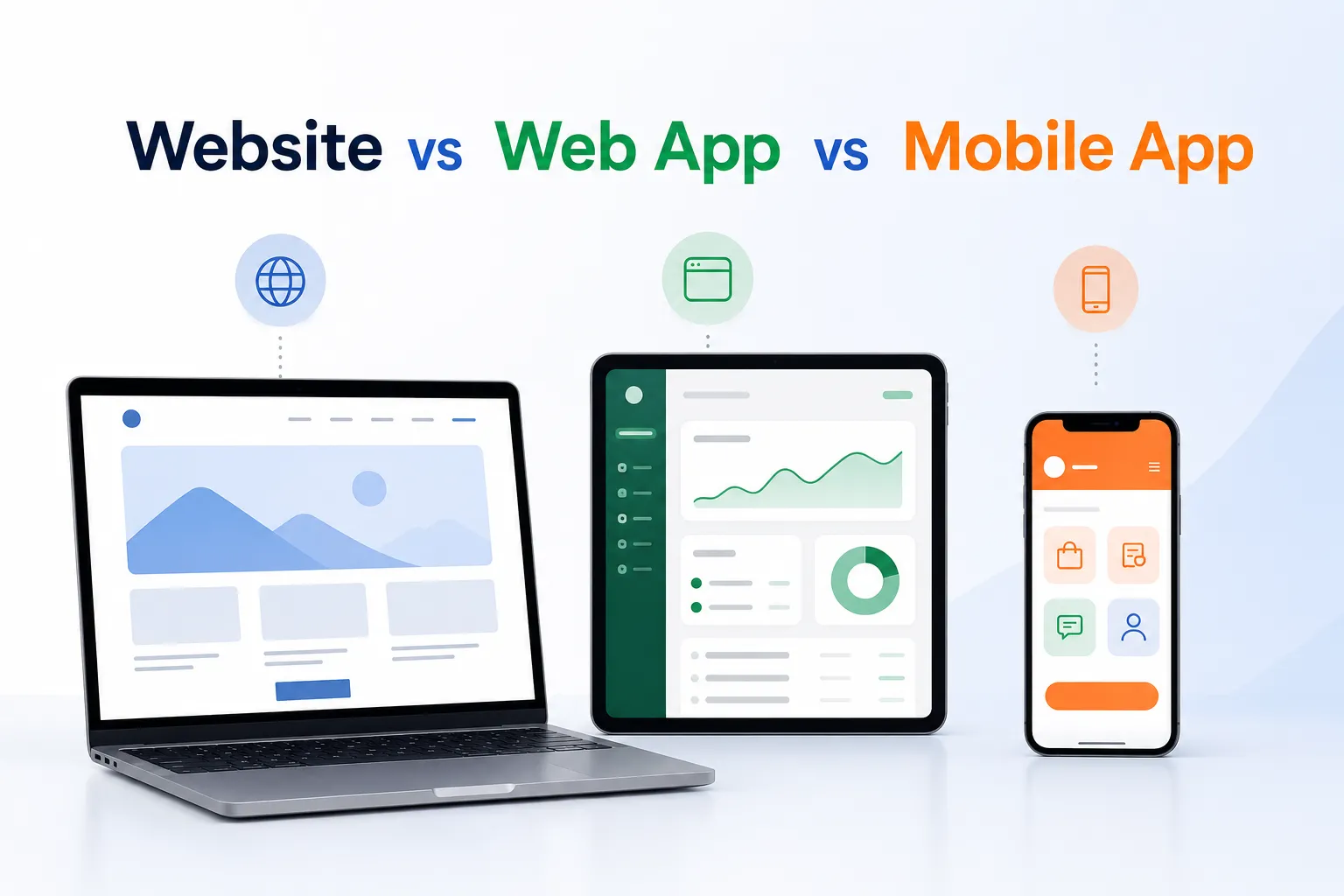
In modern business and technology conversations, the words website, web application, app, software, and system are often used as if they all mean the same thing. In reality, they belong to the same digital family, but each one serves a different purpose and carries different expectations. A website is usually built to present information and build visibility. A web application is built to let users perform specific tasks online. An app is a broad term that can refer to mobile, desktop, or web based software designed for a purpose. Software is the larger category that includes websites, apps, platforms, tools, and operating systems. A system is an even broader structure that combines software, data, hardware, users, workflow, and processes to achieve a business goal.
Understanding this difference matters because choosing the wrong solution can create unnecessary cost, poor user experience, weak growth, and long term maintenance problems. A business that only needs to show who it is and what it offers may need a website. A business that needs to let customers book services, pay online, submit requests, or manage records may need a web application. A business that needs a full operation framework across departments may need a system supported by several software tools working together.
What a Website Is
A website is a digital collection of pages published on the internet that can be accessed through a browser. Its main purpose is usually to share information, communicate a brand, display services, publish articles, or provide public content. Websites are often the first point of contact between a business and its audience. They help create credibility, support marketing, and make a company easier to find online.
Common examples of websites include:
- Company profile websites
- Brochure websites
- Blog platforms
- News sites
- Portfolio websites
- Landing pages for events or campaigns
Most websites are designed to be easy to read and easy to navigate. They usually focus on content presentation rather than complex operations. A website can still contain forms, contact pages, and call to action buttons, but its main role remains communication and information sharing.
What a Web Application Is
A web application is a software product that runs in a browser and allows users to perform meaningful actions. It goes beyond displaying information and becomes a working digital tool. Web applications often include user accounts, dashboards, data entry forms, business workflows, automated rules, reporting features, and secure access controls.
Typical examples of web applications include:
- Online shopping platforms
- Learning management systems
- Booking systems
- Customer portals
- Project management tools
- Inventory and order management systems
- Payroll, HR, and finance tools
What makes a web application different is that it is built for interaction and action. It helps users complete tasks such as creating records, updating information, processing payments, approving requests, tracking operations, and receiving results. Because of this, web applications usually require more planning, stronger security, more structured data handling, and better maintenance than a simple website.
Website vs Web Application in Practical Terms
A website tells people what a business is and what it offers. A web application helps people do something useful with that business. One can be read. The other can be used. A website may help a visitor learn about a services company. A web application may help that visitor request a quotation, make a payment, track an order, or manage a subscription.
Here is a practical comparison:
What an App Means
The word app is broad and often used in everyday language. It can refer to a mobile app, a desktop app, a web app, or a lightweight tool built for a specific purpose. In most cases, people use the term app to describe software that helps a user complete a task quickly and directly.
Examples of apps include:
- Mobile banking apps
- Messaging apps
- Food delivery apps
- Fitness tracking apps
- Accounting apps
- Field service apps
An app is not always the same as a web application. A mobile app runs on a phone or tablet, while a web application runs inside a browser. Some apps are native, some are hybrid, and some are web based. The term app is flexible, but it generally points to a purposeful digital product that serves a user need.
What Software Means
Software is the wider category that contains websites, web applications, mobile apps, desktop applications, and many other digital products. It includes the programs and tools that tell hardware what to do. Software can be simple or highly complex. It can be used for communication, entertainment, automation, analytics, security, education, manufacturing, finance, and many other purposes.
Software can be grouped into several categories, such as:
- System software such as operating systems
- Productivity software such as office suites
- Business software such as accounting and HR tools
- Specialized software such as medical, logistics, or property systems
- Web software such as websites and web apps
In short, software is the umbrella term for the digital tools that make computers, phones, and servers useful to people and organizations.
What a System Means
A system is broader than a single website or app. A system is a complete setup that combines several components to achieve a larger purpose. It may include software, hardware, databases, networks, business rules, people, procedures, and policies. A system is designed to support a whole function, not just one screen or one task.
Examples of systems include:
- School management systems
- Hospital information systems
- Payment systems
- Supply chain systems
- Property management systems
- Customer service systems
A system usually brings together multiple software modules and workflows. For example, a school system may combine student records, fee records, attendance tracking, reporting, and communication tools. A payment system may include payment gateways, security protocols, verification workflows, reconciliation reports, and support procedures. In that way, a system is often the larger digital environment in which websites and apps operate.
Why This Matters for Business Decisions
Choosing between a website, web application, app, software, and system should start with the business goal. If the aim is to create digital visibility and trust, a website may be enough. If the aim is to automate a service, manage customer activity, or support internal operations, a web application may be the right choice. If the aim is to connect several departments and processes into one operational framework, then a broader system may be needed.
Business leaders should ask questions such as:
- Do we need to display information or process transactions?
- Will users need to create accounts, log in, and manage records?
- Do we need automation, dashboards, alerts, or reports?
- Will the solution need to connect to databases, payment systems, or third party services?
- Will this tool grow with the business over time?
Those questions help organizations choose a solution that is practical, scalable, and aligned with business growth.
Common Misunderstandings
One common misunderstanding is that any online product is automatically a web application. That is not always true. A simple brochure site is not the same as a working business platform. Another misunderstanding is that all apps are mobile apps. In reality, apps can run on different devices and can be web based as well. A third misunderstanding is that a system is simply one software product. In reality, a system can include many tools, people, and processes that work together.
Conclusion
A website, a web application, an app, software, and a system all belong to the same digital world, but they are not the same thing. A website is mainly for presence and communication. A web application is for interaction and task execution. An app is a practical software product built for a user need. Software is the broader category that includes those tools. A system is the larger framework that brings technology, people, process, and data together to support an objective.
For any business, the right digital solution depends on goals, complexity, user needs, expected growth, and the level of automation required. Understanding these differences is the first step toward building technology that is useful, efficient, and built to last.
Other Blogs

Contact Us
Ready to take your business to the next level? Reach out to Timesten Technologies today. Whether you have a question, need more information about our services, or are ready to start a project, we're here to help. Connect with us, and let's discuss how we can work together to achieve your goals. Your success is just a message away!
our partners